AIRBUS A320 · CIDS · FAP
A320 FAP Simulator
Train on a full replica of the Airbus A320 Flight Attendant Panel: cabin lighting, doors and slides, PRAM announcements, water/waste, lavatory smoke and evacuation signalling.
User Manual (PDF) — every function explainedv3.9 · Android 7.0+ tablet · Windows 10 / 11 PC (64-bit)
Offline Ready
Activate once online, then everything runs on the tablet, even with no internet in the classroom.
Authentic A320 CIDS Logic
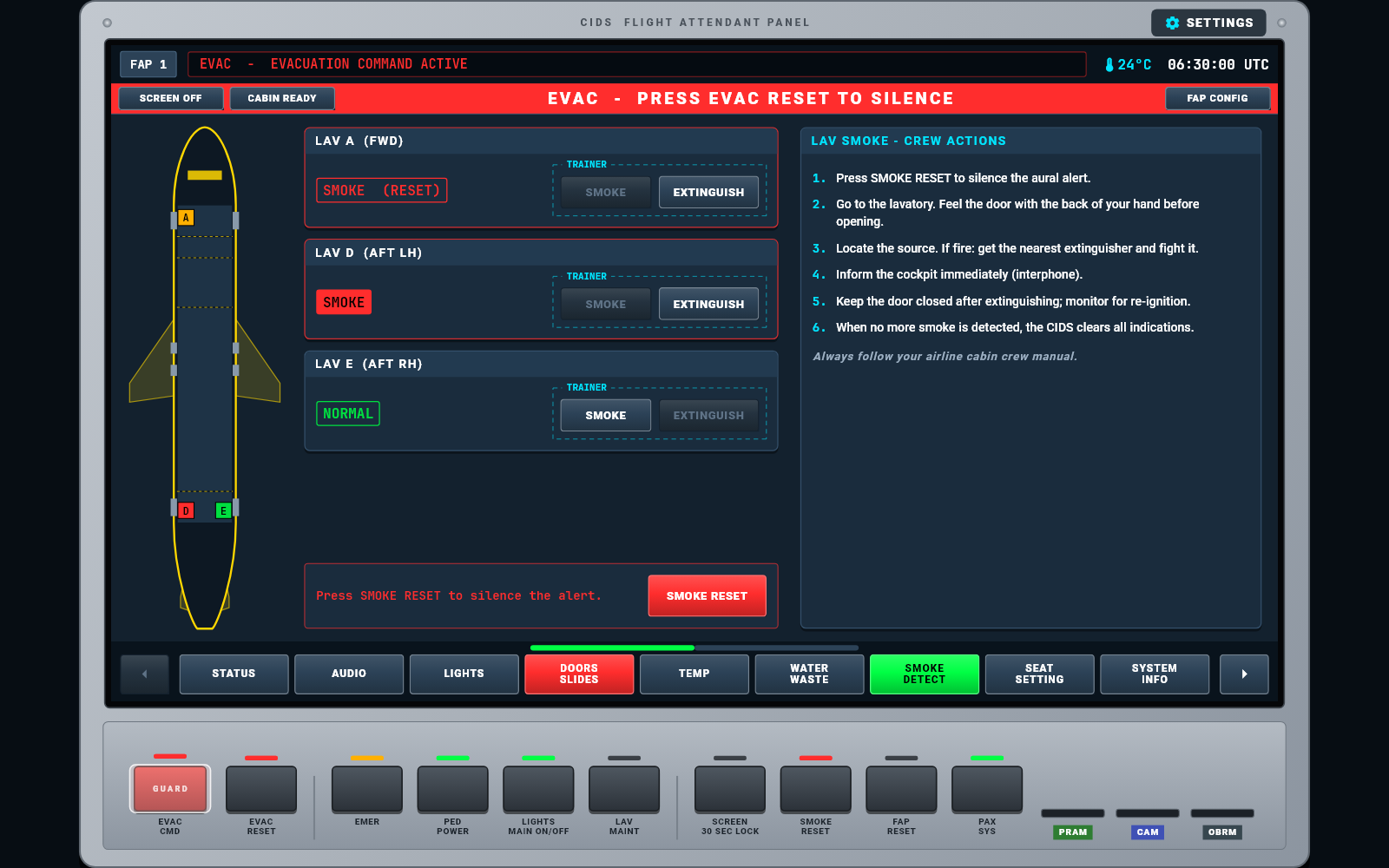
BRT / DIM 1 / DIM 2 lighting, slide arming, EVAC CMD and RESET, SMOKE RESET and real Airbus chimes.
Flight Attendant Training Drills
Arm / disarm and cross-check, lavatory smoke, evacuation, PRAM announcements and CIDS fault scenarios.
TUTORIAL
See every function in action
A full walk-through of the panel, page by page: lighting, audio and PRAM, doors and slides, water/waste, smoke and evacuation.
User Manual (PDF)
42 pages: every page, key and hard key explained with screenshots, plus step-by-step training drills and troubleshooting.
Instructor Guide (PDF)
27 pages for the instructor: classroom set-up, license codes, eight lesson plans with expected results, and an assessment checklist.
Feature Sources & A320 Conformance (PDF)
Where every feature comes from and how it compares with the real A320 CIDS Flight Attendant Panel, with the sources used.
THE PANEL
Every page of the classic CIDS FAP
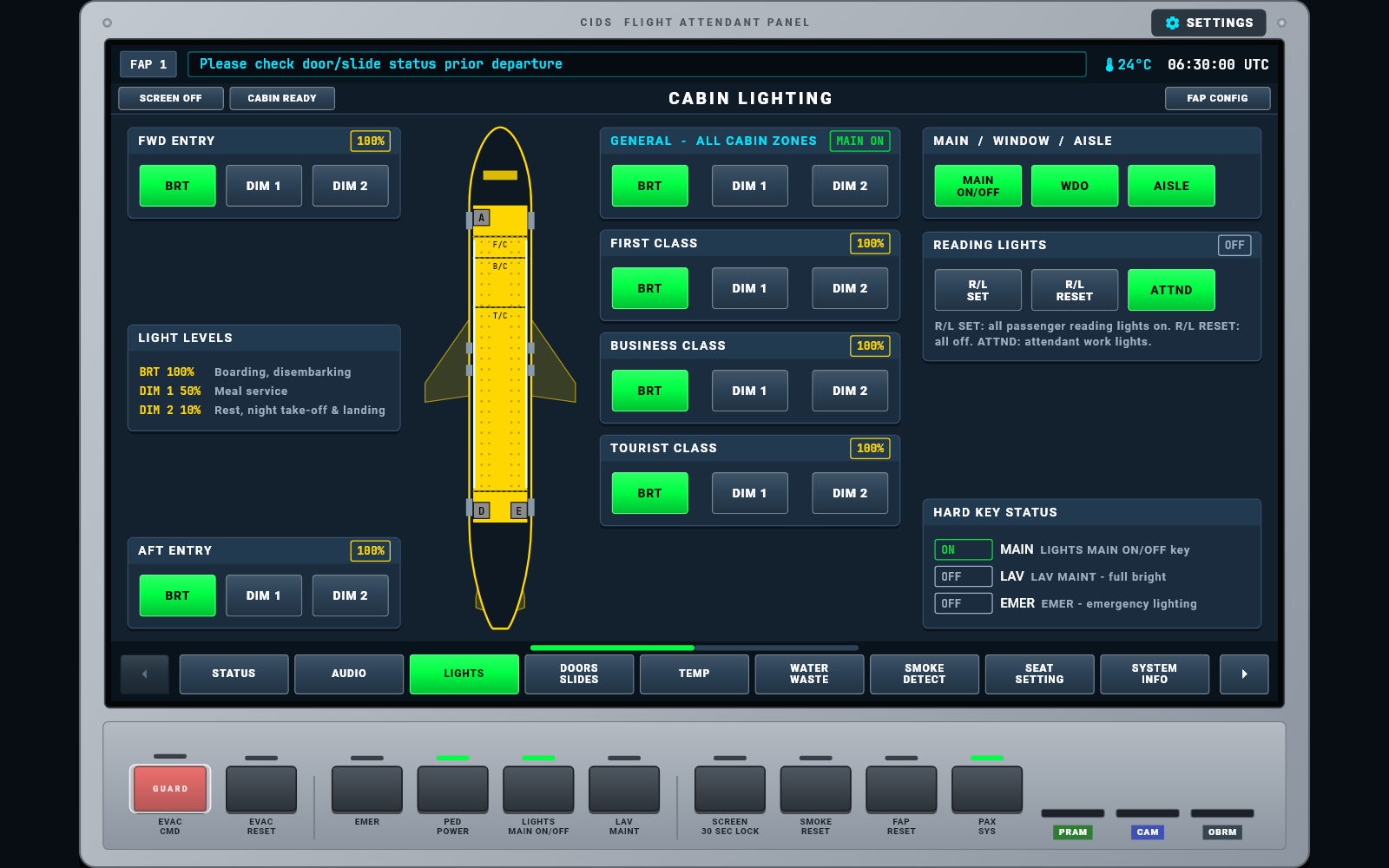
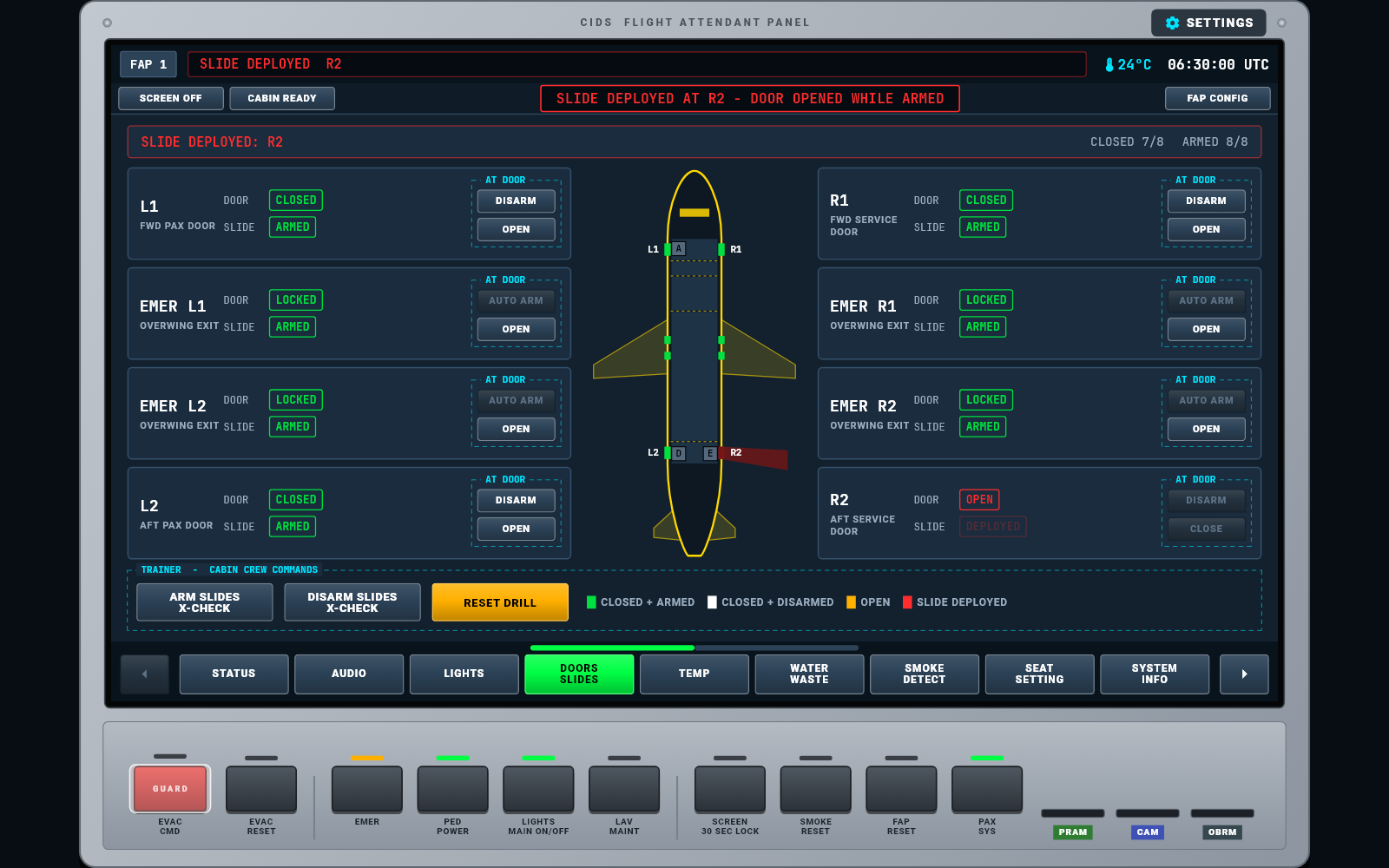
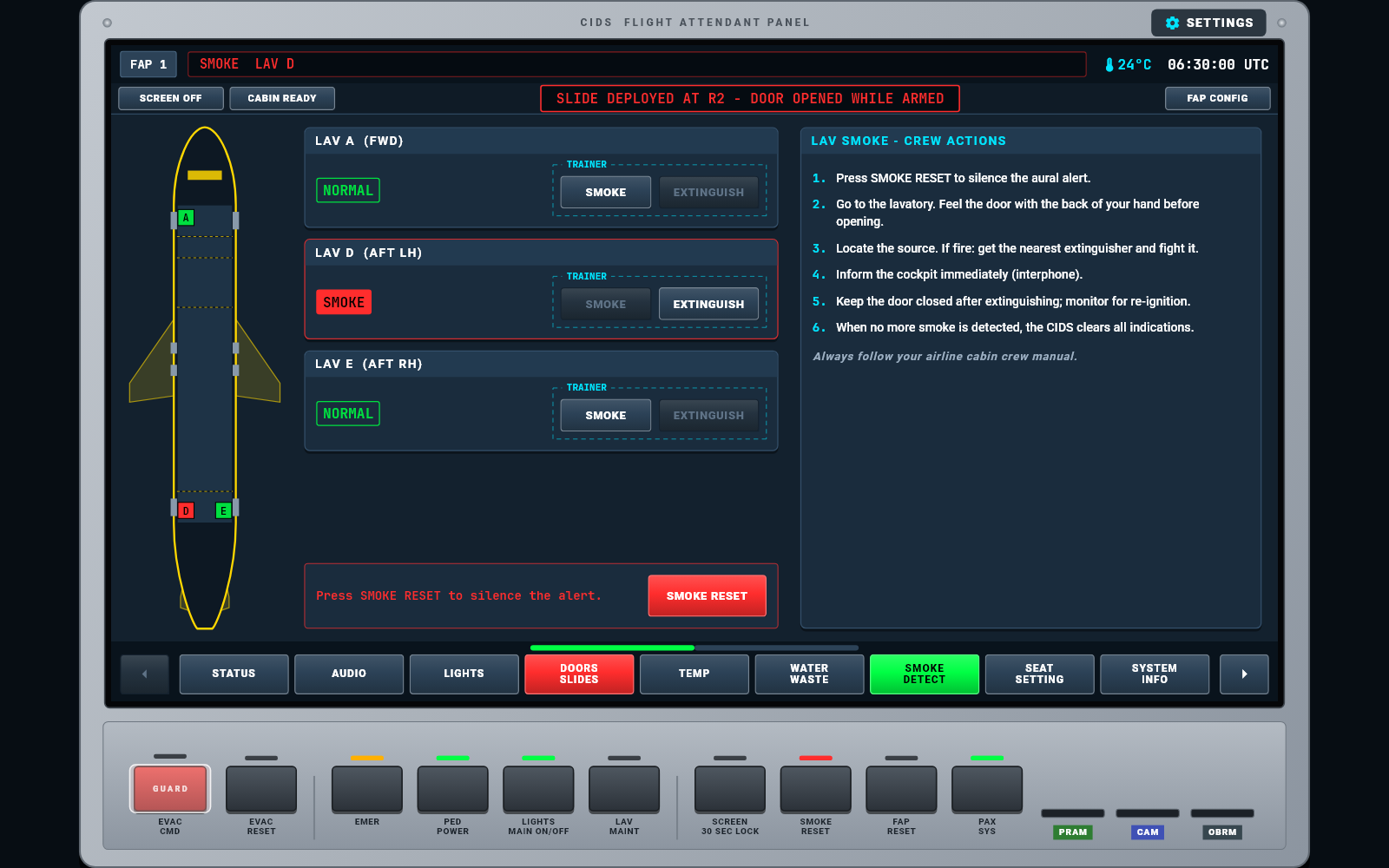
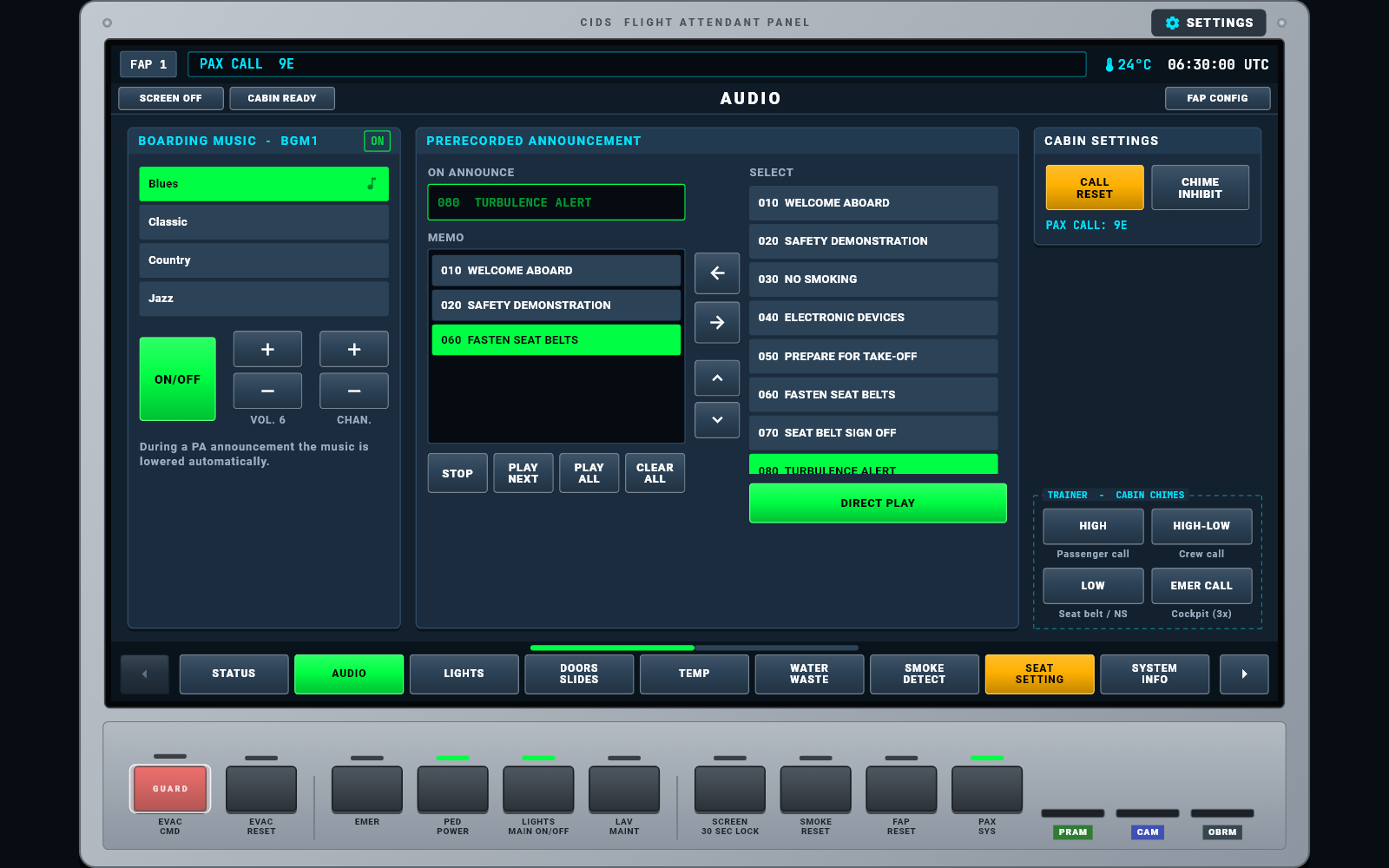
Follows the real A320: grey keys are available, green is selected, amber is caution and red is alarm. Dashed TRAINER boxes let the instructor simulate what happens away from the panel.
Cabin overview of every system at a glance.
4 boarding music channels, PRAM with MEMO / PLAY ALL, chimes.
BRT 100% · DIM 1 50% · DIM 2 10% per cabin zone.
8 exits. Open an armed door and the slide deploys.
FWD / AFT zones: ±2.5 °C fine adjustment of the cockpit setting.
200 L potable water, 170 L waste, lavatory status.
LAV A / D / E detectors, SMOKE RESET, auto-clear when smoke is gone.
Inhibit call buttons or reading lights per seat, passenger calls.
CIDS directors, CAPT / CAPT & PURS selector, fault drills.
Move cabin zones between classes and save to the CAM.
Load 1-, 2- or 3-class CAM layouts.
Announcement and chime levels per zone, -6 to +6 dB.
Software loading, brightness, loudspeaker, key click.
License code required
The first time the app opens, enter your license code (for example A320-k7Rm9Qx2), exactly as given: capital and small letters matter. Activation needs an internet connection once. Each code works on one device only; after activation the simulator runs offline. Ask your instructor for a code.
New tablet? On the old tablet tap ⚙ SETTINGS on the panel frame, then Deactivate & Transfer License, then enter the same code on the new one.
No code yet? Try the free demo with code A320-DEMO (no internet needed). The demo includes one lighting function (MAIN ON/OFF) and one audio function (boarding music); the other functions ask for a license code.
Android APK · v3.9
DOWNLOAD
Scan to install on your tablet
- 1Scan the QR code with the tablet camera, or tap Download APK.
- 2Allow "Install unknown apps" for your browser when Android asks.
- 3Open the app, enter your license code (internet needed once), and hold the tablet in landscape.
WINDOWS
Install on a Windows PC
- 1Download the Setup and open it.
- 2If Windows shows "Windows protected your PC", click More info, then Run anyway.
- 3Follow the Setup (Next, accept the notice, Install). A desktop shortcut is created.
- 4Open A320 FAP Simulator and enter your license code (internet needed once).
IMPORTANT NOTICE & DISCLAIMER
This software (A320 FAP Simulator) is developed by Overdrive Interactive for academic, familiarization, and educational training purposes only.
- 1.NOT AN OFFICIALLY CERTIFIED FTD: This application is a classroom supplement and is NOT certified by Airbus, FAA, EASA, CAAP, or any civil aviation authority for official type-rating or flight training credits.
- 2.NO AFFILIATION: "A320" and related aircraft trademarks belong to Airbus. Overdrive Interactive is an independent entity with no official endorsement or affiliation with Airbus.
- 3.ACCURACY & LIABILITY: While modeled for realistic interaction, operational variances may exist. This software must NOT be used for real-world aircraft operation, checklist validation, or actual emergency procedures. Overdrive Interactive assumes no liability for misuse.